Showing posts with label cool. Show all posts

Friday, May 15, 2009

Family's best iTunes Friend - Mojo

Like more and more people I have a household of internet connected devices and a family sharing those devices. I've long used iTunes to acquire and manage music and until a few years ago having all iTunes activity concentrated on one computer was convenient enough. These days I need the library to be available on each computer. 

iTunes has a music sharing feature which works quite well if all you want to do is listen to the library from a "secondary" computer. However Apple has intentionally crippled library sharing by preventing you from burning a CD using shared songs (in fact you can't even create a playlist of your own using a shared song). My level of frustration from the inconvenience of having to buy music and burn CDs for the rest of my family finally reached the threshold to make me do something about it.

The key use cases I wanted to address were:
  1. Ability to log into any computer in the house and burn a CD with music in the library
  2. Ability to shop for and buy music from any computer in the house and have it accessible to all the other computers
It took quite a bit of searching to find a solution but I finally found a tool called Mojo by Deusty. Mojo has a free version which provides some nice sharing features. However it is the Pro version which caught my eye because it solves both use cases at a cost of only $11 (3 licenses). 

On each computer I have created a iTunes smart playlist that includes all music added in the last two months. I installed Mojo on each computer and used the Pro version's "subscribe" feature to subscribe to the "recently added" playlist. This means Mojo will monitor changes in the playlist on each computer and automatically download new music. The end result is a "hands off" method of making our music available to everyone in the house. It is working flawlessly and I couldn't be happier (well, if this was a feature of iTunes I'd be happier...).

One caveat - at this point virtually none of our music has DRM. When Apple announced almost all music would move to the Plus format, and have no DRM, I chose to update songs I had previously purchased. I had done some tests and found the audio quality improvement in the "iTunes Plus" versions was significant. If your songs are DRM'd Mojo will not download them.

Now know one has to be frustrated that Dad doesn't have time to get all the music files onto a single machine to burn their CD for them and Dad doesn't have to listen to whining :-)

From a security standpoint no one outside of our network can get to our libraries since our router blocks connections to the Mojo port. 


Tuesday, January 6, 2009

Photography Guides

I recently upgraded to a Nikon D90. I purchased a guide for my D40x and was pretty content with the job the author did but he hasn't put one out yet for the D90. I couldn't find any credible alternative on Amazon (which is the whole world, right?).

Then one of my Flickr contacts mentioned a new guide just published by a guy named Thom Hogan. I was a bit skeptical at first because most of these guides/sites run by individuals are pretty lame (Ken Rockwell's, for example). But I kept seeing strong reviews and finally decided to blow a few Hamiltons. These DSLRs are complex and powerful and a good guide can save a lot of time in experimentation in order to get your desired results.

My guide arrived and, as advertised, is comprised of a CD with a wealth of information including the D90 specific guide in PDF format along with a printed "pocket" version. I am really impressed with the PDF content (which is all I've had time to read so far - it is a massive 764 pages long) which covers the fundamentals of digital cameras, file formats etc as well as details on the D90. Even in the fundamentals and general sections of the PDF Thom brings the info home to the D90. It isn't just boilerplate repeated from guides for other camera models.

Thom's guides look well worth purchasing for all but pro users. You can obtain them from his website. Note that his site also has a bunch of lens reviews, articles and tips on photography.

Wednesday, November 19, 2008

A huge advance for Civilization...

In a huge advance for civilization and peace and understanding for the world, Monty Python now has a legit channel on YouTube that includes high quality images. They are still getting started adding content but I just saw one of my all  time faves, Black Knight, is already there. Killer Rabbit is too. I'm laughing just thinking about it :-)

Go forth and waste time laughing. Oh, wait. Laughing isn't a waste of time at all!

Monday, October 27, 2008

iPhone Takes over the Earth

Great news for my iPhone peeps! Google has released it's Earth application and in fine fashion indeed. It takes advantage of the motion sensors built into the iPhone to adjust the view as you move your iPhone around.

Read all about it at TUAW.

Tuesday, October 14, 2008

Google Reader

Following Harald's lead I too want to note that in addition to seeing a few shared headlines on my Facebook account and here on the blog there is now a page available via Google Reader. I tend to share technical tips, some humorous items and some others I consider generally useful. In other words whatever I feel like :-) Click here to visit and/or subscribe to the feed.

I've been using Google Reader for a few years now. I switched to web-based reading since I keep a pretty solid partition between my work computers and home computers. Since the blogs I follow are a mix of work, personal, and in-between I want access to all my feeds no matter what hardware I'm using. I used Bloglines are first but switched to Google Reader as its features, and integrations, improved.

Tuesday, September 16, 2008

Clouds

No, this isn't another photography post :-)

Cloud computing is in it's nascent stage. As a SW R&D and products guy that means it is exciting, rapidly evolving, ill-defined, and with uncertain profitability. Which added up means lots of folks are going to throw millions of dollars in trying to capitalize on the theme. The only sure winners are the "experts" and evangelists who will claim to be able to give you all the answers. For the rest there is hard work ahead.

Unfortunately I'm not in the middle of this one but wish I was! This post by James Urquhart provides a good background on some recent announcements and key facets of this nascent product/service area.

iPhoneApp Winners

I've gotten questions from several newer iPhone 3G owners along the lines of "I'm too lazy to browse the App Store, just tell me which apps to look at." Well, actually none of them admitted being lazy :-)

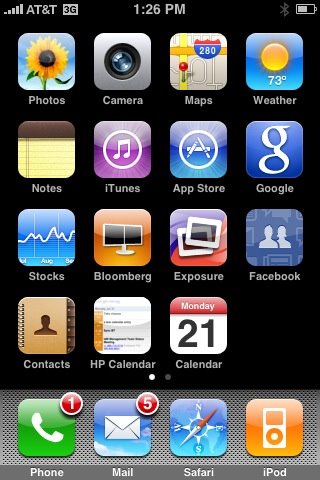
Rather than continue to answer these one at a time I think a blog entry is in order. So without further delay here is the list. Click the app name for more details:
  • Klick - best Flickr companion
  • PCalc - best utility belt for anything involving numbers
  • Jott - best to-do and list application
  • WeatherBug - multi-locations, radar, alerts and more
  • Bloomberg - world wide market indexes and news
  • Facebook - missing some key features but still convenient
  • Where - finds events, friends, cheap gass, etc nearby based on GPS
  • 2 Across - crossword puzzle app, a free lite version also available
  • Wikipanion - guess what, this is a Wikipedia front end. Surprised, aren't you ?
  • Now Playing - find movie times, theaters etc near you
All are "Ron Approved" and receive near daily use. Oh, did I forget to mention all but one of these is free? :-)

I got a bunch of others I use less frequently. I'll get around to posting on those soon.

Saturday, September 13, 2008

PCalc - a great iPhone utility belt

I've long been a user of PCalc on the Macintosh. I love it's feature set and most of all the elegance of its implementation. James Thomson, its author, has shown great commitment to his products and so I was very interested when I heard a iPhone implementation was available.

PCalc for the iPhone exceeded my expectations and has earned a place on my iPhone's home page. I'll first cite one of the coolest innovations and that is James' undo implementation. To undo an entry you simply swipe your finger right-to-left across the display area. To redo simply reverse the motion. Multiple levels of undo are of course available. Very natural and efficient since no screen space is needed for buttons or menus. Another innovation is the use of the shake "operation" on the iPhone. Simply shake the phone twice to clear and three times to do a clear all.

Some of the other features that set it apart from Apple's version, and the iPhone app crowd in general, are its support for RPN, operations in a whole range of bases, a simulated tape so you can see the history and result of interim results, and finally a very convenient and comprehensive set of unit conversions as well as constants. 

Highly recommended! Check it out here or look it up in the Apple App Store.

Friday, September 12, 2008

Contacts are like Greased Lightning!

The new iPhone 2.1 is out and I did the update from my Windows XP laptop (I normally sync with a Mac). The update was flawless. A number of the fixes, like better battery life, 3G coverage, and fewer app crashes can only be verified over time. But...

The claim that the Contacts app is faster is awesomely true! It is like greased lightning - everything about the app is more responsive. I have a large list of contacts and previously it was painfully slow. The update has completely turned around this situation and I am one happy camper :-)

Hope the other fixes are as solid!

Wednesday, August 27, 2008

It Truly Is My Lucky Day!

Well, I snagged the Wii Fit via Amazon right before lunch so decided to browse the local Best Buy for games compatible with the balance board. Didn't notice much but saw - to my amazement - that they had several Mario Kart's on the shelf. I had been keeping an eye out for those in the local shops as well as online stores like Amazon but hadn't found any. Checking around just now Amazon itself still has no stock, nor does GameStop or Target show stock. Wal-Mart does list it as in stock.

Anyway, I grabbed one along with an extra wheel. We're gonna be busy with the Wii over Labor Day - that's for sure!

Wonderful if I'll win the lottery today too? ;-)

Monday, August 25, 2008

New Favorite "Lay me Down"

On a very short road trip this weekend I think we found a new fave hotel chain for those family "lay me downs". The accompanying picture gives you a glimpse of why - a 42" plasma flat panel TV in the room. You can't see it in this image but there is a very novice friendly connector panel that makes it trivial to connect a laptop, game system etc. to this TV for your work or play pleasure. Just plug in the cable and hit the button and off you go. In addition to this sweet bit of tech the room was a bit larger than normal and the sitting area is separated from the sleeping area (even though this isn't billed as a suite style hotel). The sitting area has a generous sized and comfortable sofa plus a - yes - generous sized ottoman for your laziness pleasure. Rooms included a cordless phone, wireless internet, fridge and coffee maker.

The lobby area was contemporary but with warm colors so it didn't feel unfriendly or cold like some do. Well trained staff. Continental breakfast on the house and cooked items available day and night in exchange for some dinero. This chain includes a pool and a wine/beer bar as well. The price was very reasonable too.

Move over Hilton Garden Inn. Hyatt Place now owns us.